I. Application Guidelines for Special Outpatient Disease Certification (Government Service Portal)
(1) System Login
Insured persons may submit applications for special outpatient disease certification via the Personal Online Service System on the official website of Shenzhen Municipal Medical Security Bureau or the WeChat official account "Shenzhen Medical Insurance". The operation steps for the personal web portal and WeChat service are identical; the following takes the personal web portal interface as an example.
- Web portal path: Online Services – Medical Insurance – Special Outpatient Disease Certification
- "Shenzhen Medical Insurance" WeChat official account path: Mobile Services – Service Application – Chronic & Special Outpatient Diseases – Special Outpatient Disease Certification
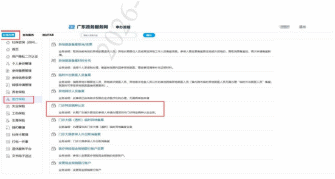
(2) Enter Service Interface
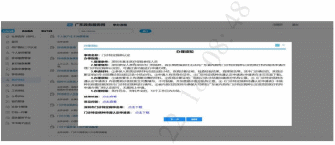
Click the function 【Special Outpatient Disease Certification】, read the service instructions, then tap 【Next】 to enter the information filling page.
Note: The list of Shenzhen special outpatient diseases can be viewed on this page, and the Application Form for Special Outpatient Disease Benefit Certification is available for download.
(3) Information Filling
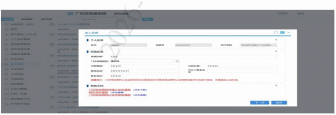
Fill in disease diagnosis, diagnosing hospital, diagnosing department and other required information as prompted on the page, and select the corresponding category of special outpatient disease.
Note: Applicants do not need to designate an institution for certification; the system will automatically assign an institution after submission.
(4) Document Upload
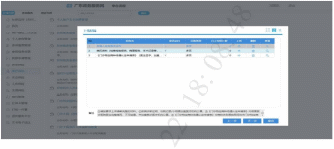
Upload the required supporting documents for special outpatient disease certification in accordance with page prompts, including:
1. Valid identity certificate of the applicant
2. Medical records
3. Application Form for Special Outpatient Disease Benefit Certification
(5) Submit Application
After uploading all documents, click 【Next】 to enter the information confirmation page. Verify all information, read the commitment statement and click confirm to submit the application. Click 【Previous】 to return and revise information if any errors exist.
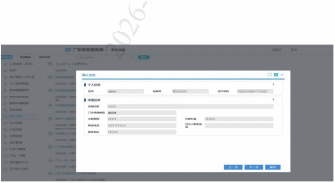
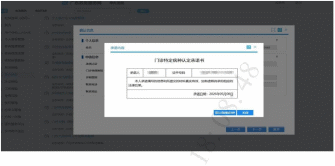
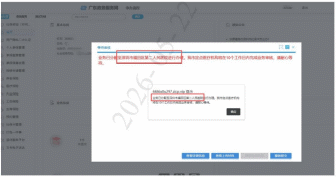
Remark: After submission, the system will display the assigned handling institution and processing time limit.
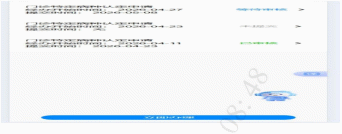
(6) Application Status Inquiry
Insured persons may check application progress via the original submission channel.
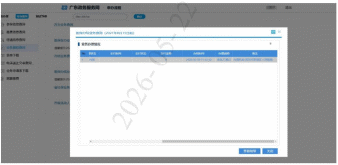
1. Personal Online Service System
(1) Online Services – Homepage – Completed Reviews – Continue Processing – View Review Results
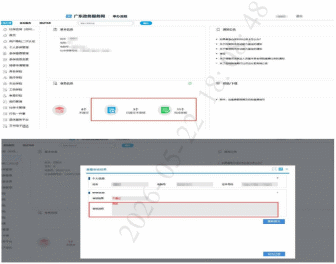
(2) Application Tracking Query
- Ongoing applications: Query Services – Application Tracking Query – Ongoing Medical Insurance Applications
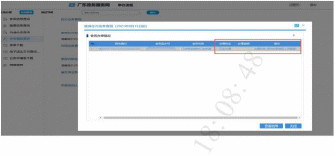
- Completed applications: Query Services – Application Tracking Query – Completed Medical Insurance Applications
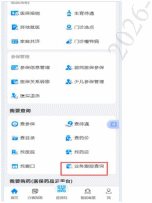
2. "Shenzhen Medical Insurance" WeChat Official Account
(1) WeChat Official Account – Online Medical Insurance Services – Mobile Services – Chronic & Special Outpatient Diseases – Special Outpatient Disease Certification – Click the submitted application to view review results
(2) Application Tracking Query
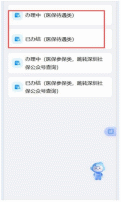
- Ongoing applications: WeChat Official Account – Online Medical Insurance Services – Mobile Services – Query – Application Tracking Query – In Progress (Medical Insurance Benefit Category)
- Completed applications: WeChat Official Account – Online Medical Insurance Services – Mobile Services – Query – Application Tracking Query – Completed (Medical Insurance Benefit Category)